Skip to content

Your partner kit

Find the handout for your profession or use a ready-made text. Everything is available in French and English.

WIGGWIGG information resource. This handout and its QR code do not activate any offer or credit, and do not confirm your eligibility.

7 professions · French and English

Ready-to-share handouts

Each profession has its own handout: practical steps for your client, service qualifications and a QR code. Choose the language and share the PDF.

Accounting and bookkeeping

When setting up the books for a new business.

Client handout (PDF, 1 page)

Read and copy the text : Accounting and bookkeeping

Text for your client

WIGGWIGG information resource. This handout and its QR code do not activate any offer or credit, and do not confirm your eligibility. When setting up your books Your business has its own accounts. What about its number? Your business has its own accounts. This is also a good time to choose the number you will give your clients. Three things to plan 1. Choose the number to include on your quotes and invoices. 2. Add your business contact details to your invoice template before sending the first one. 3. If you choose WIGGWIGG, keep your service invoices with the records you give your accountant. WIGGWIGG lets you choose a phone number for your business, separate from your personal number. You manage the service directly with WIGGWIGG. Explore WIGGWIGG for your business: https://wiggwigg.ca/en/use-cases/business/ View pricing: https://wiggwigg.ca/en/pricing/ Phone services require confirmation of a Canadian province or territory of residence. You can use WIGGWIGG in a browser. Visit the apps page for current mobile options. See mobile options: https://wiggwigg.ca/en/mobile-apps/ Porting an existing number into WIGGWIGG is not available yet. Early Access is a real, paid service, but a product under construction: core features can break, screens change without waiting for a new version, and an announced feature can be pulled while it is rebuilt. Need help? Email support@wiggwigg.ca or use in-app support. Version: 2026-09-20-r5
Web designers and agencies

Before publishing the Contact page.

Client handout (PDF, 1 page)

Read and copy the text : Web designers and agencies

Text for your client

WIGGWIGG information resource. This handout and its QR code do not activate any offer or credit, and do not confirm your eligibility. Before publishing your website The number to put on your website Which number do you want on your website? WIGGWIGG can help you keep your personal number separate. Three things to plan 1. Choose the number for your Contact page and website footer. 2. Ask your agency to check the call link on both phones and computers. 3. Once the service is active, make a test call before publishing your number. WIGGWIGG lets you choose a phone number for your business, separate from your personal number. You manage the service directly with WIGGWIGG. Explore WIGGWIGG for your business: https://wiggwigg.ca/en/use-cases/business/ View pricing: https://wiggwigg.ca/en/pricing/ Phone services require confirmation of a Canadian province or territory of residence. You can use WIGGWIGG in a browser. Visit the apps page for current mobile options. See mobile options: https://wiggwigg.ca/en/mobile-apps/ Porting an existing number into WIGGWIGG is not available yet. Early Access is a real, paid service, but a product under construction: core features can break, screens change without waiting for a new version, and an announced feature can be pulled while it is rebuilt. Need help? Email support@wiggwigg.ca or use in-app support. Version: 2026-09-20-r5

Branding and design

Before finalizing business cards and public contact details.

Client handout (PDF, 1 page)

Read and copy the text : Branding and design

Text for your client

WIGGWIGG information resource. This handout and its QR code do not activate any offer or credit, and do not confirm your eligibility. Before printing your materials Contact details for your new brand Your new brand also includes the contact details your clients will keep. Three things to plan 1. Choose the contact details that will appear alongside your logo on cards and brochures. 2. Give the same number to whoever prepares your email signature and public profiles. 3. Check every digit on the proof before approving the print run. WIGGWIGG lets you choose a phone number for your business, separate from your personal number. You manage the service directly with WIGGWIGG. Explore WIGGWIGG for your business: https://wiggwigg.ca/en/use-cases/business/ View pricing: https://wiggwigg.ca/en/pricing/ Phone services require confirmation of a Canadian province or territory of residence. You can use WIGGWIGG in a browser. Visit the apps page for current mobile options. See mobile options: https://wiggwigg.ca/en/mobile-apps/ Porting an existing number into WIGGWIGG is not available yet. Early Access is a real, paid service, but a product under construction: core features can break, screens change without waiting for a new version, and an announced feature can be pulled while it is rebuilt. Need help? Email support@wiggwigg.ca or use in-app support. Version: 2026-09-20-r5

Coaching and self-employment support

Before the first conversations with clients.

Client handout (PDF, 1 page)

Read and copy the text : Coaching and self-employment support

Text for your client

WIGGWIGG information resource. This handout and its QR code do not activate any offer or credit, and do not confirm your eligibility. Before your first appointments A number to launch your practice Choose the number you want to make public for your practice from the start. Three things to plan 1. Choose the number for your email signature and appointment confirmations. 2. Let clients know when and how to reach you, in a way that fits your work. 3. Make a test call before your first professional conversation. WIGGWIGG lets you choose a phone number for your business, separate from your personal number. You manage the service directly with WIGGWIGG. Explore WIGGWIGG for your business: https://wiggwigg.ca/en/use-cases/business/ View pricing: https://wiggwigg.ca/en/pricing/ Phone services require confirmation of a Canadian province or territory of residence. You can use WIGGWIGG in a browser. Visit the apps page for current mobile options. See mobile options: https://wiggwigg.ca/en/mobile-apps/ Porting an existing number into WIGGWIGG is not available yet. Early Access is a real, paid service, but a product under construction: core features can break, screens change without waiting for a new version, and an announced feature can be pulled while it is rebuilt. Need help? Email support@wiggwigg.ca or use in-app support. Version: 2026-09-20-r5

Coworking and virtual offices

During onboarding, when a client chooses a business address.

Client handout (PDF, 1 page)

Read and copy the text : Coworking and virtual offices

Text for your client

WIGGWIGG information resource. This handout and its QR code do not activate any offer or credit, and do not confirm your eligibility. As you settle into your workspace Your business address. Your business number, too. Once you have your business address, think about the number you want to share. Three things to plan 1. Choose the contact details to share alongside your new business address. 2. Check with your workspace which details to include in its directory, if it offers one. 3. Update your address and number together on your documents and website. WIGGWIGG lets you choose a phone number for your business, separate from your personal number. You manage the service directly with WIGGWIGG. Explore WIGGWIGG for your business: https://wiggwigg.ca/en/use-cases/business/ View pricing: https://wiggwigg.ca/en/pricing/ Phone services require confirmation of a Canadian province or territory of residence. You can use WIGGWIGG in a browser. Visit the apps page for current mobile options. See mobile options: https://wiggwigg.ca/en/mobile-apps/ Porting an existing number into WIGGWIGG is not available yet. Early Access is a real, paid service, but a product under construction: core features can break, screens change without waiting for a new version, and an announced feature can be pulled while it is rebuilt. Need help? Email support@wiggwigg.ca or use in-app support. Version: 2026-09-20-r5

Business insurance brokers

While setting up the business contact details.

Client handout (PDF, 1 page)

Read and copy the text : Business insurance brokers

Text for your client

WIGGWIGG information resource. This handout and its QR code do not activate any offer or credit, and do not confirm your eligibility. As you organize your communications A number for your business communications You can also choose a separate number for your business communications. This recommendation is independent of your insurance. Three things to plan 1. Choose the number for everyday conversations with clients and suppliers. 2. Tell your broker which contact details to use for your file. 3. Keep the emergency and claims numbers provided by your insurer. WIGGWIGG does not replace those services or your broker’s advice. WIGGWIGG lets you choose a phone number for your business, separate from your personal number. You manage the service directly with WIGGWIGG. Explore WIGGWIGG for your business: https://wiggwigg.ca/en/use-cases/business/ View pricing: https://wiggwigg.ca/en/pricing/ Phone services require confirmation of a Canadian province or territory of residence. You can use WIGGWIGG in a browser. Visit the apps page for current mobile options. See mobile options: https://wiggwigg.ca/en/mobile-apps/ Porting an existing number into WIGGWIGG is not available yet. Early Access is a real, paid service, but a product under construction: core features can break, screens change without waiting for a new version, and an announced feature can be pulled while it is rebuilt. Need help? Email support@wiggwigg.ca or use in-app support. Version: 2026-09-20-r5

Text you can reuse

Open a template, then copy it with the service qualifications.

Download the texts (.txt)

Client mini handout

Text for your client

WIGGWIGG information resource. This handout and its QR code do not activate any offer or credit, and do not confirm your eligibility. Your business has its own email, accounts and website. Which number do you give your clients? WIGGWIGG lets you choose a phone number for your business, separate from your personal number. You manage the service directly with WIGGWIGG. Explore WIGGWIGG for your business: https://wiggwigg.ca/en/use-cases/business/ View pricing: https://wiggwigg.ca/en/pricing/ Phone services require confirmation of a Canadian province or territory of residence. You can use WIGGWIGG in a browser. Visit the apps page for current mobile options. See mobile options: https://wiggwigg.ca/en/mobile-apps/ Porting an existing number into WIGGWIGG is not available yet. Early Access is a real, paid service, but a product under construction: core features can break, screens change without waiting for a new version, and an announced feature can be pulled while it is rebuilt. Need help? Email support@wiggwigg.ca or use in-app support. Version: 2026-09-20-r5

Email to your client

Text for your client

WIGGWIGG information resource. This handout and its QR code do not activate any offer or credit, and do not confirm your eligibility. Subject: Your business phone number Hello, As you prepare your business contact details, think about the number you want to make public. WIGGWIGG is one option for separating business and personal communications. I have included the service introduction below so you can see whether it fits your needs. You can ask WIGGWIGG your questions directly. Explore WIGGWIGG for your business: https://wiggwigg.ca/en/use-cases/business/ View pricing: https://wiggwigg.ca/en/pricing/ Phone services require confirmation of a Canadian province or territory of residence. You can use WIGGWIGG in a browser. Visit the apps page for current mobile options. See mobile options: https://wiggwigg.ca/en/mobile-apps/ Porting an existing number into WIGGWIGG is not available yet. Early Access is a real, paid service, but a product under construction: core features can break, screens change without waiting for a new version, and an announced feature can be pulled while it is rebuilt. Need help? Email support@wiggwigg.ca or use in-app support. Version: 2026-09-20-r5

Resources page

Text for your client

WIGGWIGG information resource. This handout and its QR code do not activate any offer or credit, and do not confirm your eligibility. A number for your business Preparing your business contact details? WIGGWIGG offers phone numbers to keep business communications separate from personal communications. Read the introduction and pricing to see whether the service fits your needs. Explore WIGGWIGG for your business: https://wiggwigg.ca/en/use-cases/business/ View pricing: https://wiggwigg.ca/en/pricing/ Phone services require confirmation of a Canadian province or territory of residence. You can use WIGGWIGG in a browser. Visit the apps page for current mobile options. See mobile options: https://wiggwigg.ca/en/mobile-apps/ Porting an existing number into WIGGWIGG is not available yet. Early Access is a real, paid service, but a product under construction: core features can break, screens change without waiting for a new version, and an announced feature can be pulled while it is rebuilt. Need help? Email support@wiggwigg.ca or use in-app support. Version: 2026-09-20-r5

Your startup checklist

Text for your client

WIGGWIGG information resource. This handout and its QR code do not activate any offer or credit, and do not confirm your eligibility. Choose the phone number to publish on your website, business cards and documents. If you want to keep your personal number separate, explore WIGGWIGG and check whether the service meets your needs. Explore WIGGWIGG for your business: https://wiggwigg.ca/en/use-cases/business/ View pricing: https://wiggwigg.ca/en/pricing/ Phone services require confirmation of a Canadian province or territory of residence. You can use WIGGWIGG in a browser. Visit the apps page for current mobile options. See mobile options: https://wiggwigg.ca/en/mobile-apps/ Porting an existing number into WIGGWIGG is not available yet. Early Access is a real, paid service, but a product under construction: core features can break, screens change without waiting for a new version, and an announced feature can be pulled while it is rebuilt. Need help? Email support@wiggwigg.ca or use in-app support. Version: 2026-09-20-r5

Using the kit well

The program on one page

For professionals in Quebec

When clients launch a business, you already help them make important decisions. You can also help them choose the phone number they’ll publish on their website, invoices and business cards. The WIGGWIGG kit gives you the copy and links to raise that question at the right moment.

  • Handouts for your profession, ready to share in French and English.
  • Copy for your emails, resources page and startup checklist.
  • WIGGWIGG handles signup, billing and support for its service.
  • No commission and no revenue share, so recommending WIGGWIGG creates no financial interest to manage. Participation is free, with no quota, exclusivity or technical integration.

Choose the handout for your profession in your client’s language. It brings together practical considerations, service qualifications and useful links. Your client can then make their choice directly with WIGGWIGG.

The kit’s links and QR code introduce the service. If WIGGWIGG confirms a client offer, it comes with its own terms and delivery flow; these resources do not activate it or confirm eligibility.

The program does not request client or member lists. Participation gives no access to a WIGGWIGG account, and no client-level view of purchases or offer activity. Any report WIGGWIGG shares is aggregated and suppressed below a minimum number of accounts. You do not manage your clients’ accounts.

Keep your independent professional judgment. WIGGWIGG does not guarantee compliance with your profession’s obligations.

business@wiggwigg.ca
When a recommendation is a good fit
  • The client is choosing public contact details for their business.
  • They want to separate business calls from personal calls.
  • They can use the service in a browser and accept the limitations of Early Access.
  • They can confirm their Canadian province or territory of residence.
  • They do not need to port an existing number right now.

If any point does not fit, check the client’s needs before recommending WIGGWIGG.

After your participation is confirmed
  1. Confirm the written terms and your chosen client journey step with WIGGWIGG.
  2. Use the kit version provided by WIGGWIGG, in the client’s language.
  3. Keep the service qualifications with the texts you share.
  4. For an offer, use its terms and the delivery flow confirmed by WIGGWIGG. The kit’s public link and QR code do not activate it.
  5. Direct account questions to WIGGWIGG. Do not collect account identifiers, passwords or payment details.
  6. Have your first check-in with WIGGWIGG on the agreed date, using general themes without identifying clients.
A few questions before introducing it

Who can participate?

The program is for small businesses and professionals in Quebec who regularly support new businesses. WIGGWIGG checks the fit with you and confirms each participation in writing.

Do I have to sell the service?

No. You can introduce it when it helps, with no quota. Your client decides and signs up directly with WIGGWIGG.

What tools do I receive?

Profession-specific client handouts, email templates and website copy in French and English. WIGGWIGG helps you choose where to use them in your client journey and answers your questions about the program.

Is there a commission?

No. The program pays no commission or revenue share.

Does the kit link give clients credit?

No. It is an information link. If WIGGWIGG confirms an offer, it comes with its own terms and delivery flow.

Who helps my client?

WIGGWIGG provides support for its service. Point your client to in-app support or support@wiggwigg.ca without collecting their sign-in or payment information.

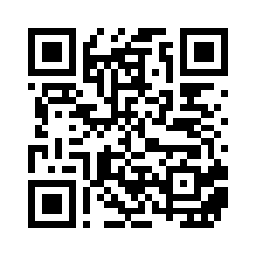
A QR code to explore the service

This code opens the WIGGWIGG business introduction. It does not activate credit.

https://wiggwigg.ca/en/use-cases/business/

Download the QR code (.svg)

QR code for the WIGGWIGG business introduction; the same link appears below.

Let’s start with how you work

Email WIGGWIGG with your business name, your profession and the step where a resource about business phone numbers would help. No information about your clients is needed.

business@wiggwigg.ca

Need help? Email support@wiggwigg.ca or use in-app support.

Version: 2026-09-20-r5